Prior to licensing Mail Markup Pro, the following limitations are imposed and a Notification dialog (Fig. 18) appears when the Mail Markup Pro interface is launched:
|
•
|
Error recovery is disabled.
|
To remove the limitations and prevent the Notification dialog appearing, a licence must be purchased then a licence key requested and applied to Mail Markup Pro.
|
2.
|
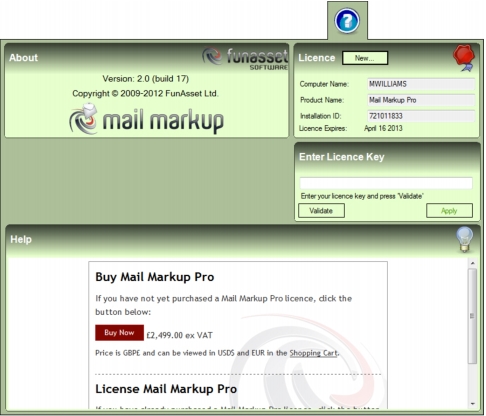
If the Buy/Licence page is not visible in the Browser panel, click the New button in the Licence panel.
|
|
2.
|
If the Buy/Licence page is not visible in the Browser panel click the New button in the Licence panel.
|
When a licence key has been received it can be applied to Mail Markup Pro.
|
2.
|
If the Enter Licence Key panel is not visible, click the New button in the Licence panel.
|
|
3.
|
In the Enter Licence Key panel click inside the edit box then paste or type your licence key.
|
