|
2.
|
In the Configuration panel, click the New button.
|
|
3.
|
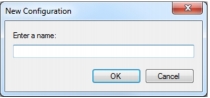
In the Enter a Name edit box specify a name for the OMR configuration. The name must be unique (i.e. another OMR configuration with the same name cannot already exist).*
|
|
6.
|
Save the OMR configuration.
|